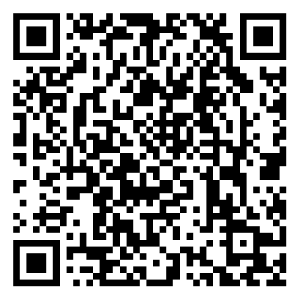
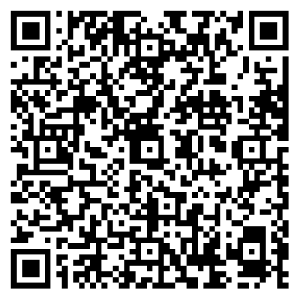
Get the FitCloudPro App to Set Up Your Device FitCloudPro APP IOS FitCloudPro App Android Please use Your Smart Phone to search “FitCloudPro” and download from the App store.(Smartphone only, not for PC). If you have trouble downloading the H Band App, please feel free to contact our support team. HELP CENTER Getting Started How to operate the H98 fitness tracker? How to charge the H98 fitness tracker? How to pair H98 fitness tracker with FitCloudPro app? How to Use FitCloudPro App for ZURURU H98 Fitness Tracker How to track SPO2 with the fitness tracker and FitCloudPro App? How do I turn on and turn off my watch General Questions User Manual for H98 Fitness Tracker How to set the date/time on the H98 fitness tracker? How to use Stopwatch feature? How to receive SMS/Calls notifications on the fitness tracker? How to set an alarm? How to enable the menstrual cycle alert? Faq What is the simple mode? How to install the stainless steel strap onto the H98 fitness tracker Why won’t my H98 fitness tracker pair with FitCloudPro app? Can I use the fitness tracker without a smartphone? How to unbind the connected H98 fitness tracker? Why the data syncing failed? NEED SUPPORT? 24/7/365 Support Service. We Usually Respond In a few Hours. Activate My Warranty CONTACT SUPPORT
Getting Started How to operate the H98 fitness tracker? How to charge the H98 fitness tracker? How to pair H98 fitness tracker with FitCloudPro app? How to Use FitCloudPro App for ZURURU H98 Fitness Tracker How to track SPO2 with the fitness tracker and FitCloudPro App? How do I turn on and turn off my watch
General Questions User Manual for H98 Fitness Tracker How to set the date/time on the H98 fitness tracker? How to use Stopwatch feature? How to receive SMS/Calls notifications on the fitness tracker? How to set an alarm? How to enable the menstrual cycle alert?
Faq What is the simple mode? How to install the stainless steel strap onto the H98 fitness tracker Why won’t my H98 fitness tracker pair with FitCloudPro app? Can I use the fitness tracker without a smartphone? How to unbind the connected H98 fitness tracker? Why the data syncing failed?